开始
首先把这个背景图加上

背景图
宽度为100%
左上角的关闭返回按钮,也就是差号。

.icon-guanbi{position: fixed;top: 60upx;left: 30upx;font-size: 40upx;font-weight: bold;color: #332F0A;}

自己遇到的问题
中间会有一条缝隙,按钮也会被盖住
在H5端不仅有一条横线,而且差号还被盖住了。所以需要加z-index让按钮 现在最外层
让背景图网上外边距减去-5px 的距离 这样就盖住了上面白线
.loginhead{width: 100%;margin-top: -5upx;}.icon-guanbi{position: fixed;top: 60upx;left: 30upx;font-size: 40upx;font-weight: bold;color: #332F0A;z-index: 100;}
手机端看着没问题
关闭按钮事件

@tap="back"

methods: {back(){console.log('返回上一步');}}
登陆的输入框

我们在修改页面有过这样的布局,所以我们直接复制类似的代码
@import url('@/common/form.css');
先引入css

外层单独包裹一层body的view
body就是左右加内边距
input的 password和v-model先都是删除掉。


submit(){console.log('提交登陆');}

loading和按钮的状态
<view class="body"><input type="text" v-model="oldpassword"class="uni-input common-input" placeholder="昵称/手机号/邮箱" /><input type="text" v-model="oldpassword"class="uni-input common-input" placeholder="请输入密码" /><button class="user-set-btn":class="{'user-set-btn-disable':disabled}":loading="loading"@tap="submit" type="primary" :disabled="disabled">登陆</button></view>
把这两个复制过来
disabled:true,loading:false

disabled:true,loading:false
验证登陆+第三方登陆
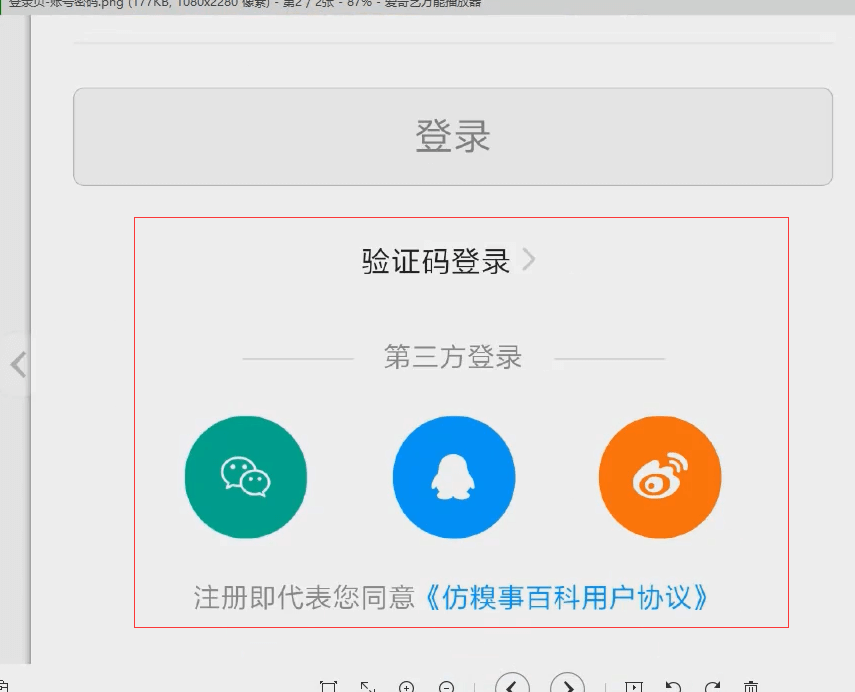
文字+向右的图标。
<!-- 登陆状态切换 --><view class="login-status">验证码登陆<view class="icon iconfont icon-jinru"></view></view>
水平方向和垂直方向都居中
<view class="login-status u-f-ajc">验证码登陆<view class="icon iconfont icon-jinru"></view></view>
第三方登陆
<!-- 第三方登陆 --><view class="other-login-title">第三方登陆</view>
水平垂直居中。
<!-- 第三方登陆 --><view class="other-login-title u-f-ajc">第三方登陆</view>
微信微博qq登陆
在我的页面是一样的。这是单独封装的组件,我们单独拿出来。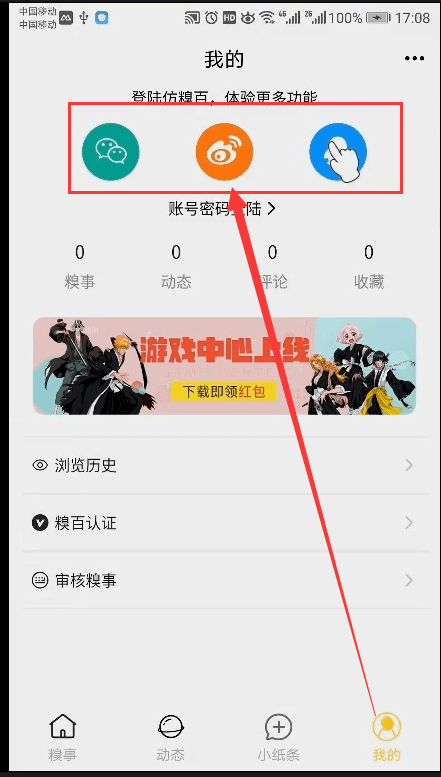

import otherLogin from '@/components/home/other-login.vue';otherLogin

<other-login></other-login>
协议

<!-- 协议 --><view class="login-rule">注册即代表您同意《XXXX协议》</view>
水平垂直剧集中,view单独加一个样式。
<!-- 协议 --><view class="login-rule">注册即代表您同意<view class="">《XXXX协议》</view></view>
加一个统一的内边距


login-padding

优化
第三方登陆前后有两条线,颜色是灰色
这里的字体的颜色
整体页面黑色的字体

第三方登陆
验证码登陆
<view class="login-rule u-f-ajc login-padding login-font-color">注册即代表您同意<view class="login-font-color">《XXXX协议》</view></view>
第三方 登陆。前后都加上横线。
用伪元素来定义,在前后加上横线。父元素相对定位,子元素绝对定位。

.other-login-title{position: relative;}.other-login-title::before,.other-login-title::after{content: '';position: absolute;background: #CCCCCC;height: 1upx;width: 100upx;}
content设置为空。
.other-login-title::before,.other-login-title::after{content: '';position: absolute;background: #CCCCCC;height: 1upx;width: 100upx;}
距离顶部有50%的距离

.other-login-title::before,.other-login-title::after{content: '';position: absolute;background: #CCCCCC;height: 1upx;width: 100upx;top: 50%;}.other-login-title::before{left: 25%;}.other-login-title::after{right: 25%;}

调整整体的颜色
.login-font-color{color: #BBBBBB;}
忘记密码
使用绝对定位。
密码的最外层套一个view

<view class="login-input-box"><input type="text" v-model="oldpassword"class="uni-input common-input" placeholder="请输入密码" /><view class="forget">忘记密码</view></view>
首先需要设置它的父元素是相对定位
.login-input-box{position: relative;}
子元素绝对定位,高度为100%表示占满这一块。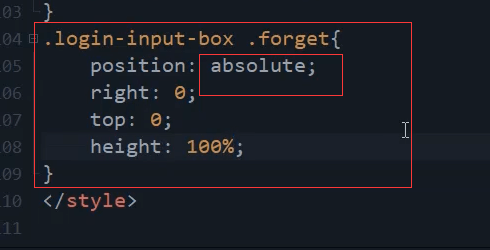
.login-input-box .forget{position: absolute;right: 0;top: 0;height: 100%;}
水平垂直居中,。
<view class="forget u-f-ajc">忘记密码</view>
加个颜色测试一下
还需要加一个宽度
被盖住了。
设置登记

如果输入的太多 会被盖住
所以需要加一个内边距。单独加一个class属性。
forget-input
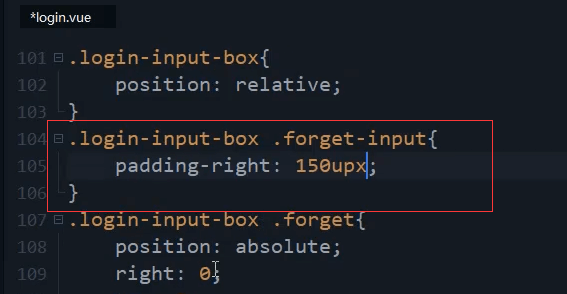
.login-input-box .forget-input{padding-right: 150upx;}
内边距150 就是 右边 忘记密码的view的宽度。
没有再被遮挡
字体颜色改成统一的
<view class="forget u-f-ajc login-font-color">忘记密码</view>
黄色的背景去掉
手机登陆的样式


原来的代码注释掉,复制一份进行修改
外层也是需要套一个view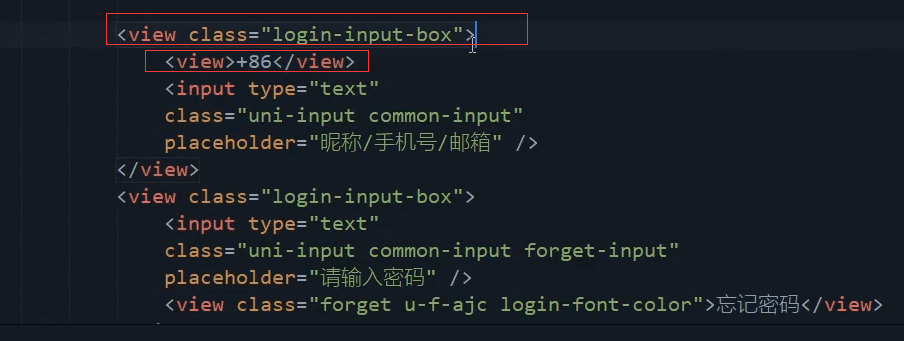

水平垂直居中。
<view class="login-input-box"><view class="phone u-f-ajc">+86</view><input type="text"class="uni-input common-input phone-input" placeholder="昵称/手机号/邮箱" /></view>
宽度可能50就够了。

清理冗余的代码。把公共的代码提取出来。 单独的自己再去定义


定位的方向是不同的

宽度太窄了。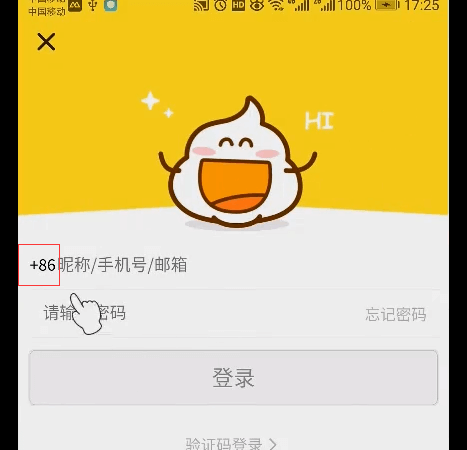


字体加粗一点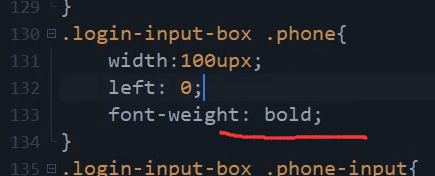

改成手机号。

外层再套一个view

加一个样式。验证码外头又套一层view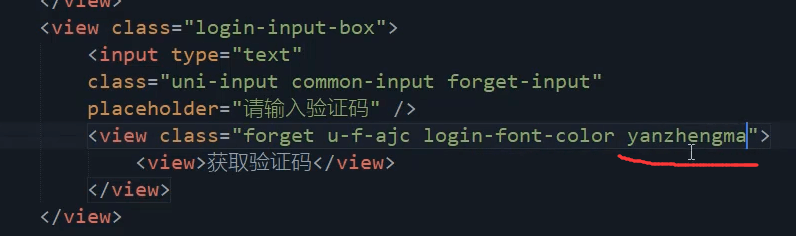
<view class="forget u-f-ajc login-font-color yanzhengma"><view class="u-f-ajc">获取验证码</view></view>
背景色,圆角。字体大小。
加点左右的内边距
.yanzhengma view{background: #EEEEEE;border-radius: 10upx;font-size: 25upx;padding: 0 5upx;}

可以让padding再大一点,上下也大一点
这里不用padding了 改成宽度也是150
加一个水平垂直 居中
上下间距还是小点。
加一个上下 20的内边距

改成10upx

.yanzhengma view{background: #EEEEEE;border-radius: 10upx;font-size: 25upx;width: 150upx;padding: 10upx 0;}
本节代码
login.vue页面
<template><view><!-- 状态栏 --><!-- <uni-status-bar></uni-status-bar> --><uni-nav-bar background-color="#FFE933" status-bar /><!-- 关闭按钮 --><view class="icon iconfont icon-guanbi" @tap="back"></view><!-- 引入背景图 --><image class="loginhead" src="../../static/common/loginhead.png" mode="widthFix" lazy-load></image><view class="body"><!-- <input type="text" v-model="oldpassword"class="uni-input common-input" placeholder="昵称/手机号/邮箱" /> --><view class="login-input-box"><view class="phone u-f-ajc">+86</view><input type="text"class="uni-input common-input phone-input" placeholder="手机号" /></view><view class="login-input-box"><input type="text"class="uni-input common-input forget-input" placeholder="验证码" /><view class="forget u-f-ajc login-font-color yanzhengma"><view class="u-f-ajc">获取验证码</view></view></view><button class="user-set-btn":class="{'user-set-btn-disable':disabled}":loading="loading"@tap="submit" type="primary" :disabled="disabled">登陆</button></view><!-- 登陆状态切换 --><view class="login-status u-f-ajc login-padding">验证码登陆<view class="icon iconfont icon-jinru"></view></view><!-- 第三方登陆 --><view class="other-login-title u-f-ajc login-padding">第三方登陆</view><other-login></other-login><!-- 协议 --><view class="login-rule u-f-ajc login-padding login-font-color">注册即代表您同意<view class="login-font-color">《XXXX协议》</view></view></view></template><script>import otherLogin from '@/components/home/other-login.vue';export default {components:{otherLogin},data() {return {disabled:true,loading:false}},methods: {back(){console.log('返回上一步');},submit(){console.log('提交登陆');}}}</script><style>@import url('@/common/form.css');.login-padding{padding: 20upx;}.login-font-color{color: #BBBBBB;}.loginhead{width: 100%;margin-top: -5upx;}.icon-guanbi{position: fixed;top: 60upx;left: 30upx;font-size: 40upx;font-weight: bold;color: #332F0A;z-index: 100;}.other-login-title{position: relative;}.other-login-title::before,.other-login-title::after{content: '';position: absolute;background: #CCCCCC;height: 1upx;width: 100upx;top: 50%;}.other-login-title::before{left: 25%;}.other-login-title::after{right: 25%;}.login-input-box{position: relative;}.login-input-box .forget-input{padding-right: 150upx;}.login-input-box .forget{position: absolute;right: 0;top: 0;height: 100%;width: 150upx;/* background: yellow; */z-index: 100;}.login-input-box .phone{position: absolute;left: 0;top: 0;height: 100%;width: 100upx;z-index: 100;font-weight: bold;}.login-input-box .phone-input{padding-left: 100upx;}.yanzhengma view{background: #EEEEEE;border-radius: 10upx;font-size: 25upx;width: 150upx;padding: 10upx 0;}</style>
结束

若有收获,就点个赞吧
0 人点赞


