- 建议使用linux服务器部署,比较稳定,windows服务器也可以,需要写的伪静态规则麻烦些
- 举例:军哥 lnmp 一键部署 ,或者 宝塔 一键部署 ,或者 OpenResty 等都可以使用该框架安装使用
php环境为 7.2 + (如果需要使用pdf自动生成,则7.3+)
- 把 customer.zip 上传至 站点根目录,解压之后把所 customer 目录下的所有文件以及子目录 上移一层目录,和 customer.zip为同目录
- 把 site.json 文件,runtime目录 ,public/uploads 设置为 777,他们的子目录和文件也要777
- 导入数据库,导入 customer.sql数据库文件
- 伪静态配置(如果是宝塔环境,则直接选择thinkphp 伪静态即可,不必写一下配置文件)
server
{
listen 80;
server_name ad.ailingfei.com;
root /mnt/wwwroot/customer/public;
location /{
index index.html index.htm index.php;
if (!-e $request_filename) {
rewrite ^(.)$ /index.php?s=/$1 last;
}
if (!-f $request_filename){
rewrite (.) /index.php;
}
try_files $uri =404;
fastcgi_pass unix:/tmp/php-cgi.sock;
fastcgi_index index.php;
include fastcgi.conf;
}
location /status {
stub_status on;
access_log off;
}
location ~ ..(gif|jpg|jpeg|png|bmp|swf|woff2|woff|ttf|ico)$
{
expires 30d;
}
location ~ ..(js|css)?$
{
expires 12h;
}
#include wordpress.conf;
#access_log /var/www/mle_access.log access;
# error_page 404 = http://mle.ailingfei.com/404.html;
}
7.解析域名 至 public/下 (这点及为重要,如果是宝塔环境,则选择运行目录未public)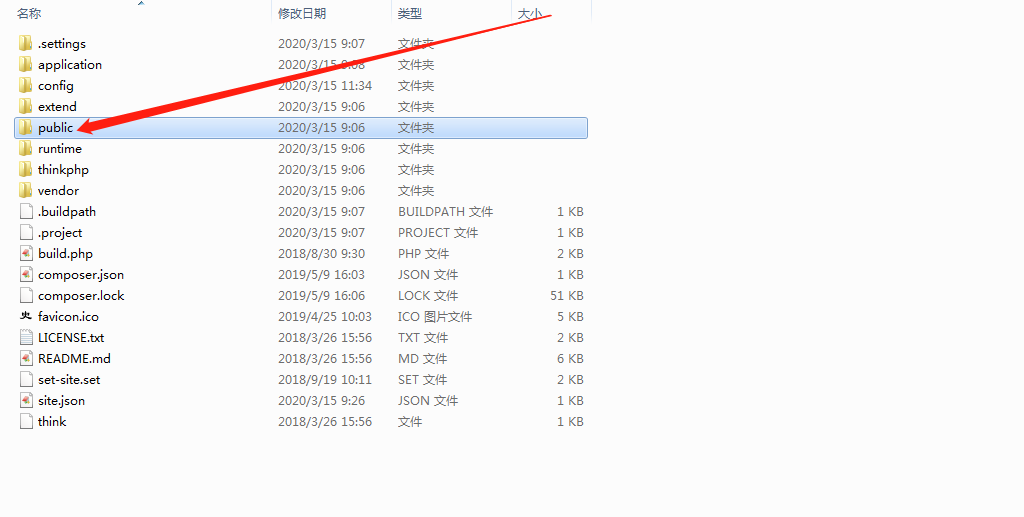
8.域名解析设置,前端和后端分别解析两个子域名,解析目录都为 public 下 (同一个目录)
9.配置 tp的 路由文件 ,把文件中的域名替换成自己解析的域名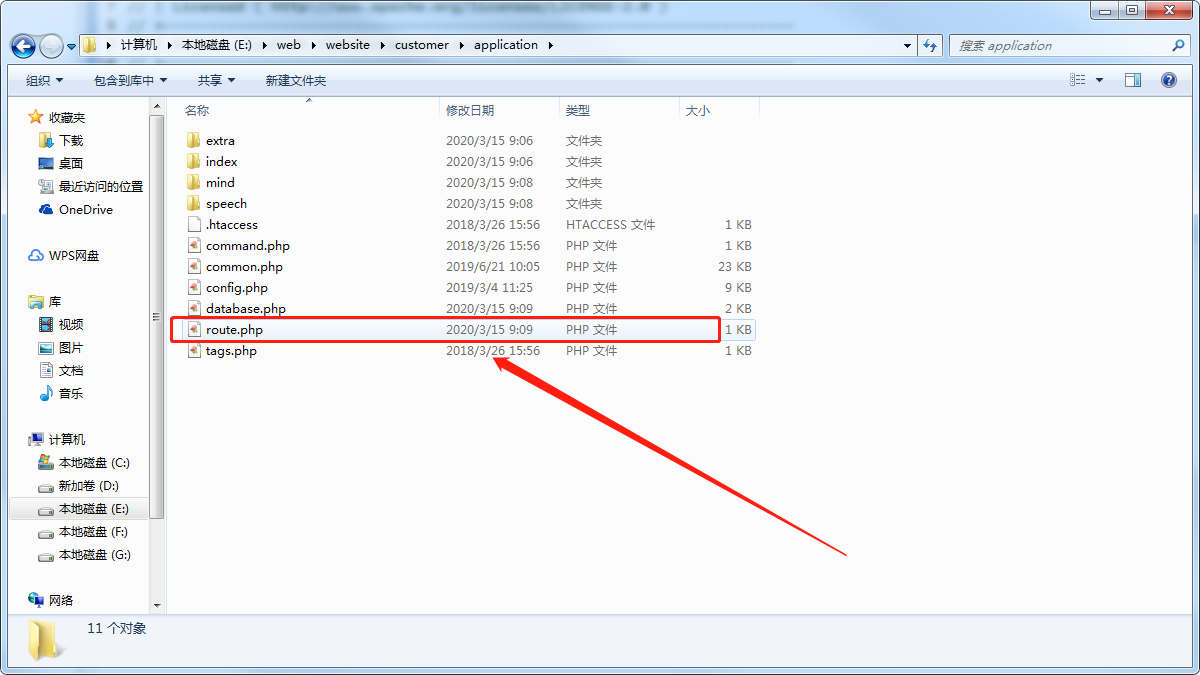
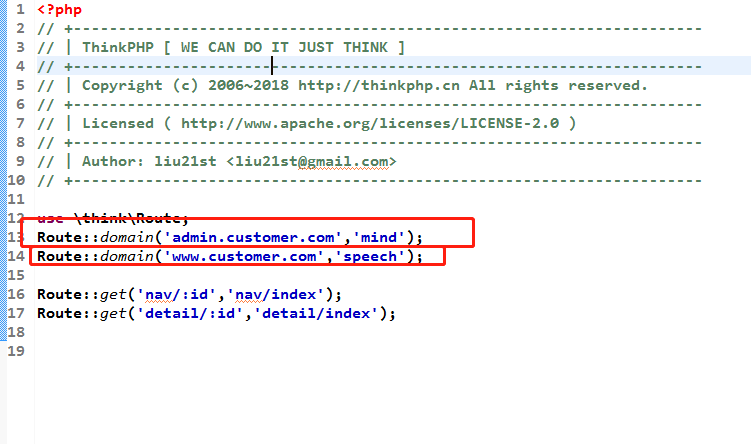
10..数据库配置
打开与 rout.php 同目录下的 database.php文件
把数据库账号密码 配置成自己服务器的账号密码,hostname 一般不用修改(使用阿里云rds需要修改成对应的数据库地址)
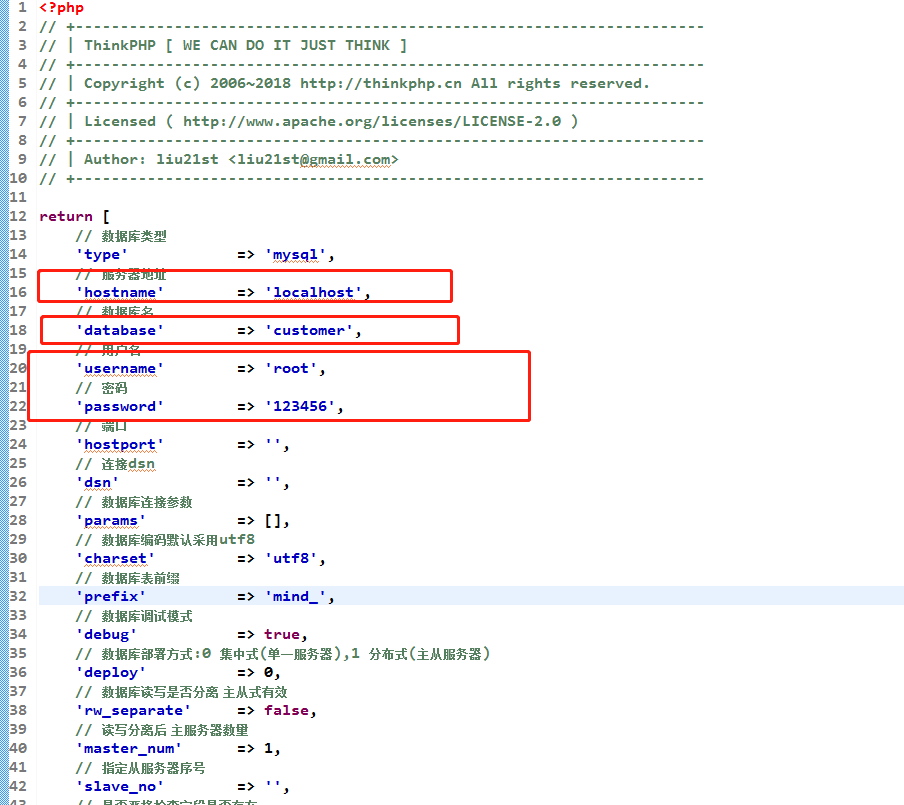
11.后台默认账号密码
15200047616
654321

若有收获,就点个赞吧
0 人点赞


